Next-Gen Digital Signage Control & Automation
Streamline content distribution across multi-screen display networks with automated scheduling and real-time analytics.
What is Braintune CMS?
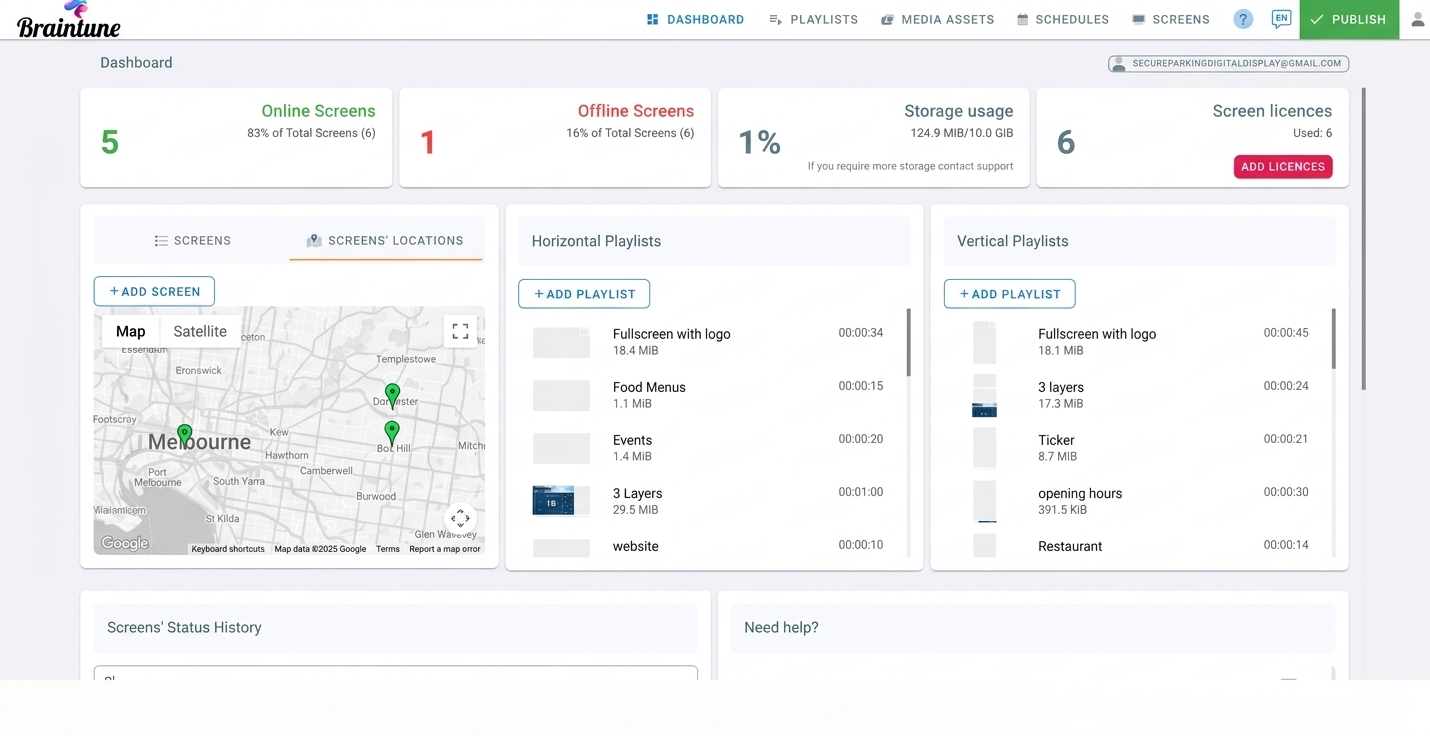
Braintune CMS is a cloud-based digital signage platform for scheduling, monitoring, and remotely managing content across a network of screens. Built on Google Cloud infrastructure, it lets a distributed team update every display from one dashboard — with proof-of-play reporting, offline playback, and role-based access control included on every plan.
Built for fleets that can't afford downtime
Everything you need to run a reliable, secure, and scalable screen network.
Audit & Playback Logs
Track every content edit, user action, and proof-of-play log.
Performance Statistics
Real-time display health monitoring, uptime, and media analytics.
Geolocation Targeting
Dynamic content updates triggered by screen location and time zones.
Offline Resilience
Smart caching guarantees uninterrupted playback during internet outages.
App Ecosystem Sync
Native dynamic app widgets including Canva, Power BI, Google Sheets, and RSS.
Cross-Platform Hardware
Runs seamlessly on Android 7+, Raspberry Pi 5, BrightSign, ChromeOS, and Smart TVs.
Everything included in Braintune CMS
One platform covering content, fleet management, monitoring, and access control — no add-on modules.
Content & Scheduling
Fleet & Display Management
Monitoring & Governance
Access & Security
Braintune CMS vs. legacy signage setups
What changes when a screen network moves off spreadsheets and USB sticks.
| Task | Legacy / DIY signage | Braintune CMS |
|---|---|---|
| Content updates | Walk to each screen with a USB stick | Push updates to the whole fleet instantly, from any browser |
| Handling outages | Screen goes blank when the network drops | Smart caching keeps the last playlist running offline |
| Proof of play | No record of what actually played | Exportable, timestamped proof-of-play logs |
| Multi-screen video walls | Needs a dedicated video wall controller | Built into every plan, no extra hardware |
| Team access | One shared login, no audit trail | Role-based permissions with a full audit trail |
| Scaling to more screens | Re-architect for each new site | Add screens to an existing group in minutes |
Transparent Pricing for Any Scale
No hidden fees. Cancel or change plans anytime.
Monthly Plan
Flexible month-to-month billing for growing display networks.
- All Core CMS features
- Unlimited Cloud Storage
- 24/7 Email Support
Annual Plan
Annual commitment with max cost savings.
- Everything in Monthly
- Priority Support
- Multi-User Granular Roles
- Advanced Geolocation
Fully Managed Plan
Complete hands-off experience — our team manages your content and playlists (adding, removing, and updating) on your behalf.
- Everything in Annual
- Monthly Playlist Curation
- 99.9% SLA Guarantee
Frequently Asked Questions
What hardware does Braintune CMS support?
Braintune CMS runs on Android 7+ media players, Raspberry Pi 5, BrightSign, ChromeOS devices, and most commercial smart TVs. There's no proprietary player box required — bring your own compatible hardware.
Does Braintune CMS keep playing if the internet goes down?
Yes. Every player caches its most recently synced playlist locally, so screens keep playing on schedule during an outage and resync automatically once the connection returns.
Is there a limit on cloud storage?
No. Unlimited cloud storage for your media library is included on every plan, from Monthly through Fully Managed.
How do I prove content actually played?
Every screen logs a timestamped proof-of-play record for each asset, which you can export as a report for internal reporting or client billing.
Can I try Braintune CMS before committing?
Yes — every new account starts with a 14-day free trial of the full platform, with no long-term contract required to get started.
Can multiple team members manage the same screens?
Yes. Role-based permissions let you invite teammates with access scoped to specific screens, groups, or the whole account, and every action is recorded in the audit trail.
Explore our other CMS platforms
Ready to put your screen network on autopilot?
Start your 14-day free trial, or talk to us about a fully managed rollout.